
Zak: my review and feedback (June 2026)
Free!

What I think of Zak: QR-bills, TWINT, shared pots, mobile payments, and budget management are central to the experience. The app remains very focused on local banking use in Switzerland. I looked at withdrawals, everyday payments, notifications, and the limits you run into with more international use.
Use the promo code KNSGS6 when opening your account to receive your additional bonus.
| Offering | 8 |
|---|---|
| Security | 10 |
| Opening an account | 7 |
| Bank card | 7.8 |
| Features | 8.5 |
| Interest rates | 9 |
| Transfer speed | 8.5 |
| TWINT | 10 |
| Fees | 7.8 |
| Abroad | 5 |
| Cash deposit | 8 |
| Customer service | 8.9 |
| Promo code | 6 |
What I think of Zak: QR-bills, TWINT, shared pots, mobile payments, and budget management are central to the experience. The app remains very focused on local banking use in Switzerland. I looked at withdrawals, everyday payments, notifications, and the limits you run into with more international use.
Use the promo code KNSGS6 when opening your account to receive your additional bonus.

Description
[Update – 01.06.2026: the promo code is included in the overall rating as a criterion]
[Update – 24.02.2026: Integrated investment solutions via Zak Invest]
[Update – 07.02.2026: Zak promo code]
[Update – 03.02.2026: Removal of the Zak VS Radicant comparison, following the closure of Radicant]
[Update – 10.11.2025: Presentation of the Zak 3a offer]
Zak banque offer summary
– Review focused on Zak’s banking services.
– Compare all online banks in Switzerland at the same time.
ZAK is the first purely mobile bank to appear in Switzerland (2018). It offers features for planning your budget (alone or with others) in real time. Zak is based on Banque Cler for financial services.
Zak Free – the account and the card 💳
0 CHF/month
Zak Plus – the premium offer
CHF 8/month
- Free cash withdrawals worldwide
- Priority support
- Carbon offsetting
- Elimination of Foreign Payment Fees
- Free Coffee at Bank Cler Branches (Yes, Really ☕️)
Zak Promo Code
The promo code KNSGS6 allows you to receive CHF 25 when you open your account. This is a respectable partner opening bonus compared to the various promo codes collected by heyneo.ch.
Zak gets a good score thanks to its promo code, which offers an account opening bonus with no minimum deposit requirement. As with other welcome offers, this criterion is weighted at 0.7, as its influence on the user experience remains limited over time.
Security: is Zak Safe?
Is Zak a Bank?
Banking services are provided by Bank Clerc SA in Basel, approved by FINMA.
The Swiss deposit protection insurance covers up to CHF 100,000 in case of bankruptcy.
Is Zak Safe?
Zak bank user data is stored in Switzerland.
Two-factor authentication (2FA) is used for account access.
Open a Zak account – Receive CHF 25
Zak is available in French, German, and Italian.
Who Can Open an Account with Zak Bank?
– Be at least 15 years old (YUH 14 years, Neon 16 years)
– Reside in Switzerland (see banks accessible to non-residents and Swiss cross-border commuters).
– Have an iOS or Android smartphone
– No proof of income or minimum balance required.
Step-by-step guide to opening a YUH account
Download the ZAK app
on the App Store / Google Play Store
Create a new account

Create a password

Confirm your country of residence
and provide some additional information:

Verify your identity
The process is entirely managed by Swisscom. First, the ID scan: 
Then the video identification:
Verify your residential address
Zak requires proof of residence. Fortunately, the choice is quite broad: 
Choose the Zak or Zak Plus offer

Sign your contract digitally

Make an initial deposit to activate your account
To activate your account, you need to make an initial deposit. The account is activated within 2-3 days:


Enter your code 👇
Receive 25 CHF: go to “settings” then “Enter code” and enter the code KNSGS6.
You can do this 24 hours after the account activation confirmation SMS and you have up to 30 days maximum.


You will receive your money practically overnight.
Voir plus +The Zak bank card
You receive your card first. The PIN code is not immediately available in the app.
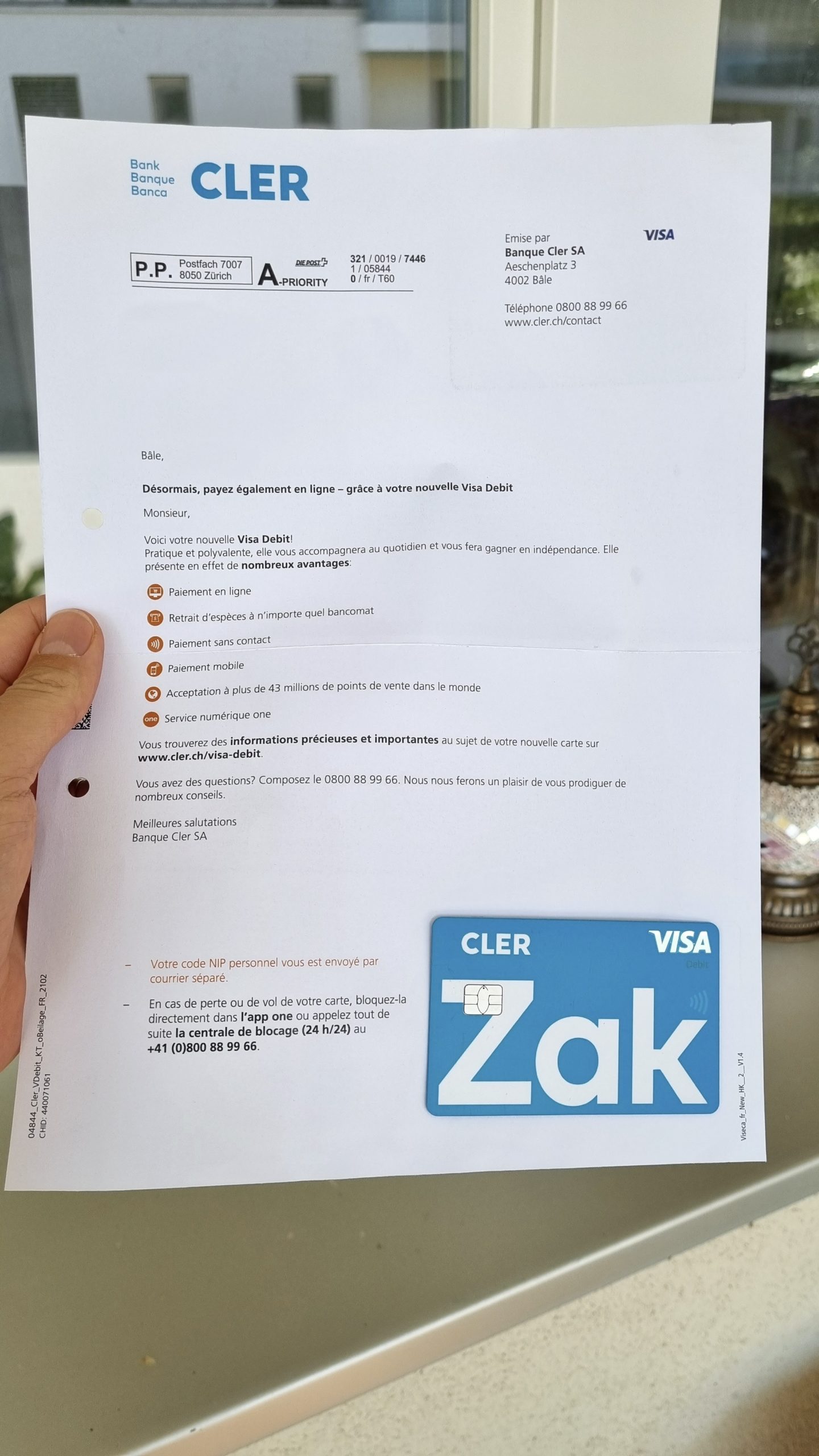
The PIN is sent separately.
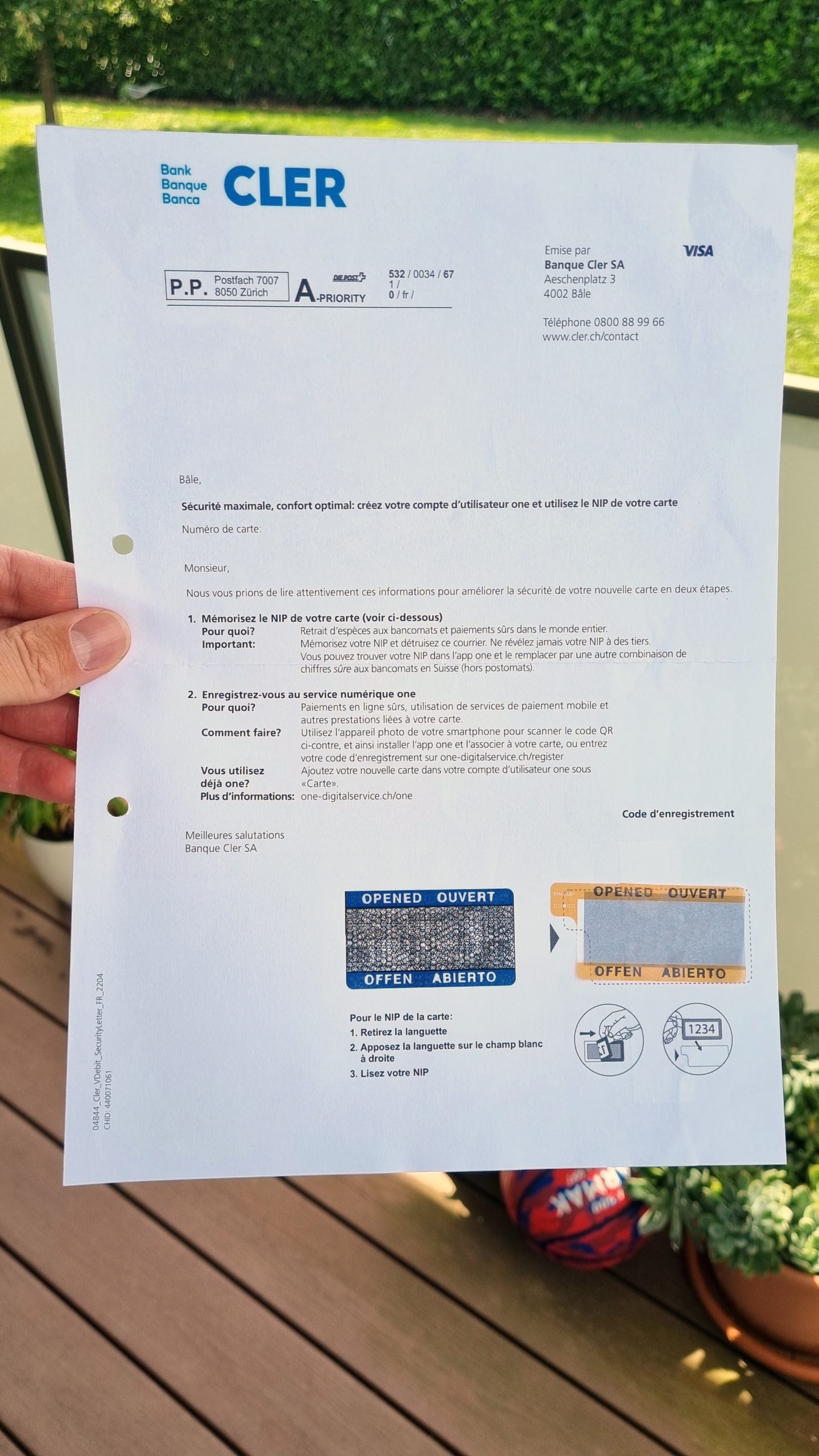
💳 the Zak Visa Debit card at a glance :
- Code-free contactless payment up to CHF 80/purchase. Beyond that, the code is required.
- It works with Apple Pay / Google Pay / Samsung Pay.
- Push notifications for card payments.
● To activate contactless, you need to finalize a first payment with the card code.
● Even if it takes a few days for the card to be delivered, you can use it via your smartphone oruse the payment information available in the app to make online purchases.
You can temporarily block your card from the app, but you have to go to the ATM to change the PIN code.
The default cash withdrawal limit is CHF 2,000/day or 3,000/month, but this can be changed by calling support. Payments are debited from the main account (Spaces money is excluded).
Card Blocking Is Charged at 50 CHF, Even in Case of Loss
Zak application: features
The Zak Application Is Rich and Adapted to All Situations in Switzerland
- Account Movement Tracking
- Push notification of movements
- eBill 🇨🇭
- Standing orders
- Twint
- Scan payment slips (QR invoices) 🇨🇭
- Turning a QR invoice into a standing order
- Sharing bank details via QR
- PushTAN function replaces mTAN (sms)
The app. allows you to manage group budgets:
- Pots: dividing your budget between different pots
- Pots communs: manage group expenses, find out who owes you money and pay off your debt in a click
- Instant payment “Zak Illico” to instantly send or request money from other users among your contacts.
And to manage the card?
You have to go through another application, Viseca One on iOS and Android for :
- Request New PIN Code
- Temporarily Block the Card
- Activate / Deactivate Contactless, etc.
- View card expenses
Missing features:
✘ Ability to change daily or monthly card limits directly in the app
📈 Invest with Zak – Zak Invest
Since January 2026, Zak now lets you invest directly from the app via Zak Invest 8.
You get access to:
- Over 12,000 stocks
- ETFs
- Investment funds
- Major global stock exchanges
Open Zak Invest directly from the “Invest” tab in the app.
Zak Invest fee structure
Pricing is transparent and shown before you confirm each order.
Stocks & ETFs – SIX Swiss Exchange
- 0.25% (min: 5 CHF / max: 50 CHF)
Stocks & ETFs – other exchanges
- 0.50% (min: 15 CHF / max: 300 CHF)
Funds
- 0.50% per transaction (min. 15 CHF)
- 0.25% per year on holdings
Zak clearly shows the estimated cost before execution, making it easy to understand for beginner investors.
Zak Plus users get 50% off trading fees.
Summary:
| Number of securities | 12,000+ |
| SIX stocks & ETFs | 0.25% (min 5 CHF) |
| Other exchanges | 0,50 % |
| Funds | 0.50% + 0.25%/year |
| Zak Plus discount | -50% fees |
Zak Pillar 3a
If you’re already using Zak daily, the question quickly arises: is Zak Pillar 3a really worth it compared to specialized solutions like VIAC, finpension, or frankly?
Zak offers a Pillar 3a solution directly integrated into its banking app and linked to the Banque Cler 3rd Pillar Foundation. You can open and manage your Pillar 3a without leaving the app.
The offer is based on two approaches: an account with a guaranteed interest rate (0.40% interest per year) or a securities investment strategy based on a risk profile.
Opening is done entirely from the mobile app. You can then make payments, track performance, and modify allocation directly within the application.
The idea is clear: if you’re already using Zak for your payments and current account, you can also manage your Pillar 3a in the same app.
Compared to specialized Pillar 3a platforms (like VIAC, finpension, or frankly), the level of customization remains more limited.
Before looking at investment strategies, let’s quickly review the operating conditions of Zak 3a.
Conditions
Operation is simple and entirely mobile. Opening is done directly from the Zak app, with no paper documents.
Main conditions:
- Invest from as little as 1 CHF
- Single or recurring payments possible
- Standard Pillar 3a taxation
- Accessible only via the mobile app
- Reserved for Swiss residents with AVS-eligible income
Investment Strategies
Zak offers two different approaches:
- Guaranteed interest rate account: a pension account with a guaranteed rate of 0.40%. This solution prioritizes security and stability, but returns remain limited in an inflationary environment.
- Securities investment: savings can also be invested according to four risk profiles:
- Income → max. 35% equities
- Balanced → max. 60% equities
- Growth → max. 85% equities
- Equities → up to 100% equities
Portfolios are composed of diversified funds with a bond component for more cautious profiles. You can modify your risk profile directly in the app.
However, the offer remains pre-configured: it’s not possible to select funds yourself or build your own portfolio.
Fees
Zak applies a simple fee structure:
- No opening fees
- No payment fees
For the invested portion, fees are approximately 1.25% per year. With this level of fees, Zak 3a is significantly more expensive than specialized digital Pillar 3a platforms like VIAC (≈0.38%), finpension (≈0.39%), or frankly (≈0.45%). These solutions generally allow for more flexible allocation and lower costs.
The positioning is therefore clear: a practical and integrated solution, but not optimized to minimize fees as much as possible.
Zak 3a is suitable if:
- You already use Zak and want to centralize your pension in the same app
- You’re looking for a simple, fully mobile solution
- You appreciate the option to choose between a guaranteed rate and securities investment
It will be less suitable if:
- You want to minimize fees as much as possible
- You want to choose your own ETFs or build your allocation
In practice, Zak 3a primarily functions as a simple pension solution for app users. Integration is seamless and management remains intuitive, with the option to choose between a guaranteed interest account or an invested strategy.
However, fees of around 1.25% per year are significantly higher than those of specialized digital Pillar 3a platforms like VIAC, finpension, or frankly.
Zak 3a is therefore interesting for centralizing your pension in the same application, but less suitable if the goal is to optimize costs and customization as much as possible.
Can you choose your own funds or ETFs with Zak 3a?
No. With Zak, allocation is pre-configured according to risk profiles (Income, Balanced, Growth, Equities). It’s not possible to individually select ETFs or build your own portfolio.
Can you switch from the guaranteed interest account to an invested strategy?
Yes. It’s possible to change your approach directly in the app, switching from a guaranteed interest account (0.40%) to a securities investment strategy and vice versa. However, the two cannot be combined in the same account.
Is Zak Pillar 3a worthwhile?
Zak Pillar 3a is worthwhile for Zak app users who want to centralize their bank account and pension in a single app. However, its fees of around 1.25% are high.
Interest rates offered by the Zak account
Zak offers a rate of 0.3% up to 100,000 CHF and 0.8% on “Prévoyance dans Zak” (pillar 3a) regardless of the amount.
Zak also offers a Pillar 3a account directly accessible from the app. It allows you to invest in one or more sustainable funds, with a customizable risk profile. Management is entrusted to Swisscanto (Bank Cler), with management fees around 1.25% per year. You can make one-off or automatic payments and track the evolution of your 3rd pillar in real time.
Transfer speed with Zak – send money
● Instant transfers with “Zak Illico” (Zak user to Zak user).
● An IBAN transfer from Switzerland to Switzerland or within the SEPA zone made before 1 PM arrives on the same day. If it’s made after 1 PM, it arrives the next day.
● A transfer to a foreign country (outside SEPA) takes 2 days.
Zak Twint – pay with TWINT anywhere in Switzerland
For quick payments between its users, ZAK offers the Illico feature, but if TWINT is the #1 payment app in Switzerland, it’s not without reason.
Can You Use TWINT with Zak?
Yes. Zak has developed its own TWINT application, the #1 payment app in Switzerland.
It allows you to:
– Pay in stores
– Transfer money between friends
– Split a bill within a group (restaurant, outings, etc.)
– Pay for parking meters
– Pay online and at train stations
How to Use TWINT with Zak?
To use TWINT with Zak, you need to use the TWINT application from Bank Clerc directly connected to your Zak account.
Zak Banque fees: card, foreign exchange, transfers, cash withdrawals, etc.
● Free Bank Account
● Free CH IBAN
● Free Visa Debit Card issued by Viseca
● Card Blocking: 50 CHF
● Replacement Card: 20 CHF.
● 💳 Card payments without transaction fees.
● Foreign exchange fee of 2% on top of the Visa reference rate.
● Free “Pots” virtual sub-accounts
Money transfers in Switzerland 🇨🇭 ➔ 🇨🇭
● IBAN transfers in CHF and EUR are free.
● Transfers outside the SEPA zone are not available currently
International transfers 🇨🇭 ➔ 🌍
Transfers in Euros and CHF within the SEPA zone are free of charge (without exchange rate surcharge).
Please note: payments outside the SEPA zone and in currencies other than CHF and EUR are not currently available.
Cash withdrawals in Switzerland 🇨🇭
● Unlimited cash withdrawals at Banque Cler ATMs.
● At the same time, Zak allows you to withdraw cash free of charge (CHF min 20.-/max 300.-) from cashiers at Coop and Coop City Food supermarkets in Switzerland (subject to a minimum purchase of CHF 10).
The monthly withdrawal limit is 10,000 CHF/month. per withdrawal, this makes a free withdrawal threshold of 2K/month.
At other ATMs in Switzerland:
- Withdrawals in CHF: CHF 2
- EUR withdrawals: 5 CHF at Visa reference rate + 2% markup
- Zak Plus: in CHF withdrawals are free, but in EUR there is a 2% surcharge on the Visa reference rate.
Cash withdrawals abroad 🌍
- 5 CHF + 2% Surcharge
- Zak Plus: Free
Zak vs. Zak Plus – which one to choose?
We’ve done the math. To make ZAK Plus profitable, you need :
➔ Make 4 CHF withdrawals/month outside Banque Cler ATMs in Switzerland.
or
➔ Make a single withdrawal of EUR 150/month outside Banque Cler ATMs (in Switzerland or abroad).
For people who need to withdraw cash abroad, including outside Europe, Zak Plus may seem more attractive.
➔ Keep in mind that with a 2% surcharge, Zak is much less advantageous abroad than other neobanks.
For users who stay in Switzerland, Zak Plus in Switzerland is not particularly justified. We think that with unlimited withdrawals at Banque Clerc ATMs and the option of withdrawals in the Coop network, it’s sufficient.
Zak on the road and abroad
With ZAK there are no fees for foreign payments (like with Neon or YUH Bank), but there is a 2% surcharge on the Visa reference rate, which easily amounts to 2.5%.
Unfortunately, it’s not possible to associate your card with a jar. For example, a “travel” pot in preparation for a vacation. This is a well-thought-out option found at N26.
In short, ZAK is out of the running compared with its competitors YUH Banque and especially NEON Banque, whose exchange fees are minimal or non-existent.
Cash deposit on Zak account
Zak allows you to deposit cash directly into your account free of charge via Banque Cler ATMs.
Zak customer service
● Accessibility: by telephone 🤳 Monday to Friday, 8am to 6pm. Response time is fast.
No chat. A simple form (the same as on the website) allows you to contact the support team, also reachable by email at [email protected]. Clearly, if you need quick answers on the weekend, you’ll have to rely on online help. Even if the service is of good quality, it’s not truly what neobank customers expect.
● Reported experience: Zak has an eye for detail and the waiting time is virtually nil. Based on all our interactions in French, the agents are good listeners and don’t hesitate to go for specific answers.
Cashback Zak banque
The cashback offer is interesting. Simply open the “Zak Store” (+ sign at the bottom right of the screen) then click on “Cashback” to be redirected to the shopemate.cash page to take advantage of offers from 250 partner merchants (MediaMarkt, Booking, Ochsner Sport, etc.).
Refunds Are Credited Directly to the Zak Account
Good reasons to open an account with Zak Banque
Zak is a locally-oriented bank, and that’s a good thing. It covers all everyday needs and lets you organize your money in pots. Sound familiar? Try searching for videos of cash stuffing challenges and you might change your mind.
Free + physical branches (Cler Bank) available to users = a huge confidence-building advantage. True to its positioning, Zak is “only” available in the national languages (German, French and Italian). Not in English.
Zak’s strength also lies in cash management. When it comes to withdrawing or depositing, Zak makes it all very easy.
✔︎ You can open a free account and receive CHF 25 with the code KNSGS6 with another app. to enjoy the benefits of each and compare banks in real life.
Zak vs. Yuh – Quick Comparison ⚡️
Yuh vs Zak
Zak adapts perfectly to local use in Switzerland: CH IBAN, integrated TWINT, QR-bill management, eBill and LSV are directly accessible from the app. However, it remains limited to CHF, applies fees on foreign currency withdrawals, and does not offer any integrated investment tools.
Yuh is more flexible for juggling multiple currencies: CHF, EUR, USD managed in the same account with automatic payments without conversion, but it remains more limited on local payment automations (no LSV, separate TWINT).
Zak integrates an investment solution directly into its app with Zak Invest, giving access to over 12,000 stocks, ETFs and funds on major stock exchanges.
While the investment universe is broad, the fee structure—with minimum fees per transaction—may be less advantageous than Yuh Invest for small amounts or very occasional investors.
To be preferred if…
- CHF is mainly used, with a need for direct access to TWINT, eBill and Swiss banking standards: Zak
- You travel regularly, receive or spend in EUR/USD, or want to invest easily without leaving the app: Yuh (read Yuh review and test)
To avoid if…
- You need an active multi-currency account (Zak only manages CHF)
- You want to group local payments and investments in the same interface (unavailable with Zak)
- You often use foreign currencies in daily life
Zak vs. Neon – Quick Comparison ⚡️
Neon vs Zak
Zak covers everyday banking operations in Switzerland very well: native TWINT, QR-bill payments, eBill management, and the ability to set up LSV. However, everything remains limited to CHF: there are no foreign currency accounts, withdrawals outside Switzerland are subject to fees, and there is no option to invest directly from the app.
Neon offers an account with no fixed fees, competitive card payments in foreign currencies, and easy access to investments, but remains less integrated with Swiss automatic payments.
With Zak Invest, Zak offers extended access to financial markets, covering over 12,000 securities across stocks, ETFs and funds. The offering stands out for its breadth, with more products than Neon Invest. However, for small orders, the minimum fees applied can reduce its appeal compared to Neon’s lighter pricing approach.
To be preferred if…
- You want a smooth app, fully aligned with Swiss standards (TWINT, eBill, LSV): Zak
- You regularly pay in EUR, travel or wish to invest occasionally from your account: Neon (read Neon review and test)
To avoid if…
- You need a multi-currency account to manage both CHF and other currencies
- You use TWINT daily (Neon doesn’t have native integration)
- You’re looking for a solution that combines payments, savings and investment without multiplying services
Zak Promo Code
Free account ✔︎
What do you think of Zak?
- Has the Zak app made your daily life easier?
- What feature would you like to customize or improve?
- Is Zak Plus a better choice for you?
Share your feedback with all Neo’s friends 😈

Additional information
Specification: Zak: my review and feedback (June 2026)
| Online banking | ||||||||||||||||
|---|---|---|---|---|---|---|---|---|---|---|---|---|---|---|---|---|
| ||||||||||||||||
| Bank card | ||||||||||||||||
| ||||||||||||||||
| For who? | ||||||||||||||||
| ||||||||||||||||
| Mobile payments | ||||||||||||||||
| ||||||||||||||||
Reviews (0)
User Reviews
Show reviews in all languages (1)



There are no reviews yet.